
Choose your weapon


Your Dates & Locations:
-- > -- -- > -- ---- -- Days
Thanks!
We’re comparing ALL online rates to find you the best campervan deals.
Send us your full name on WhatsApp or Messenger & we’ll do the rest!
.png)

Sit tight
We're finding the best deals for you.
5.0 
3,000+ Google & Facebook reviews

10s
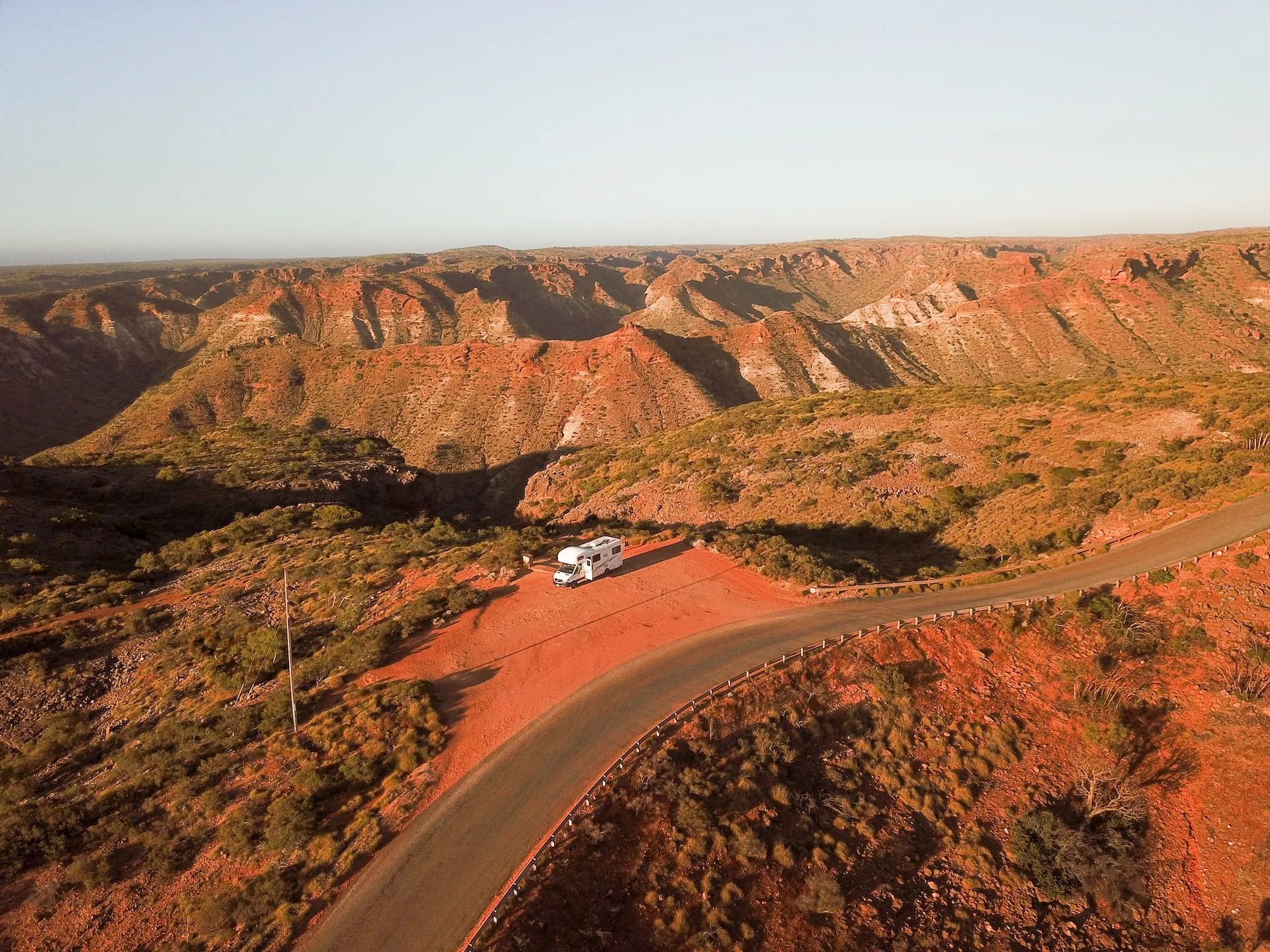
Picture this: you’re parked up on a clifftop somewhere in Oz. Sun setting. Kettle on. Unreal views across unmatched landscapes. You go to check Google Maps… and boom – no service.
Welcome to Australia 😅
Travelling this vast expanse by car or camper is one of the most enriching experiences on the planet. But doing so while staying connected? That’s where things can get a bit patchy. One minute you’re howling down the highway with your favourite tunes, then you’re off-grid for the next twelve hours… in silence.
In this post, we’ll cover how to get internet on a road trip – including Wi-Fi and off-grid internet options – even if you’re out in more remote areas.. Everything here comes from first-hand experience – our RatPack team has clocked up thousands of kilometres criss-crossing Australia in campers, losing signal in the Outback, finding surprise bars in tiny towns, and learning the hard way what actually works (and what absolutely doesn’t).
And here’s the thing: most guides make this way more complicated than it needs to be. So we’re keeping this one simple, practical and real – just the stuff you actually need to know to stay connected, and where that’s going to be impossible/expensive so you can prepare.
The 3 Basic Options for Remote Internet
Before we get into the nitty-gritty, it helps to zoom out.
There are three main ways to get online while road-tripping Australia.
Yep, there are plenty of variations within each one – SIMs vs. eSIMs, phones vs. hotspots, different satellite plans and setups – but almost every traveller falls into one of these three buckets:
- Mobile networks (SIMs, eSIMs, hotspots, portable Wi-Fi)
- Satellite internet (Starlink)
- Public Wi-Fi (caravan parks, hostels, cafes, libraries, etc.)
So rather than throwing every possible setup at you, we’re going to break these down simply and honestly, based on what we’ve seen actually work on the road.
For each option, we’ll cover:
- ✅ Pros and cons
- 💰 Costs
- ⚡ What speeds to realistically expect
- 🧭 When it makes sense (and when it doesn’t)
The aim here isn’t to convince you that you need the most expensive or complex setup. It’s to help you pick the right level of connectivity for your route, budget and travel style.
Most travellers don’t need fancy gear. Some absolutely do.
Let’s start with the option that works for the vast majority of road trippers.
Option 1: Mobile Networks
Mobile networks are the easiest and most popular choice – and what we recommend for ~90% of travellers.
For the vast majority of people travelling Australia by campervan or car, mobile data is the default and best option.
This option includes all of these variations, as they all rely on mobile networks:
- Australian SIMs
- eSIMs
- Using your phone as a hotspot
- Portable Wi-Fi (MiFi) devices (still uses the same mobile networks, just a different gadget)
The Lowdown
For most road trips in Australia, mobile data is all you need.
Pros
- ✅ Cheapest and simplest option
- ✅ Fast speeds in towns, cities and along major routes (often 4G/5G)
- ✅ No extra gear or setup
- ✅ Works while driving
- ✅ Perfect for East Coast and town-to-town travel
Cons
- ❌ Coverage drops fast once you head inland
- ❌ Long blackspots between towns are normal
- ❌ Not reliable for deep outback or off-grid routes
Costs
- Prepaid SIMs typically range from $30-$70/month, depending on data.
- Telstra is more expensive (~+20% vs. Optus), but consistently delivers the best regional coverage.
Expected speeds
- ⚡ In populated areas: fast and reliable (streaming, maps, socials no problem)
- ⚡ In regional areas: usable but variable
- ❌ In remote areas: often nothing at all
In short, if you’re travelling:
- The East Coast
- Between major towns
- On sealed highways
… mobile data will do the job most of the time.
But – and it’s a big but – Australia is huge. Once you start heading inland, north, west or properly off-grid, mobile coverage can disappear very quickly.
So choosing the right mobile network matters way more than the device you use.
What’s the Best Mobile Network for Remote Travel?
We’ll keep this one simple, because the answer is very clear:
Telstra. Always Telstra. Here’s why:
- ✅ Widest coverage in Australia – by a long way
- ✅ Most reliable option for regional and remote travel
- 💰 More expensive – but worth it
- 🧠 Strong consensus from travellers and locals alike
From our own road trips, Telstra is often the difference between having some signal in a tiny outback town and having absolutely nothing.
Other options, in order of preference, are:
Optus
- ✅ Solid in cities and larger towns
- 💰 Cheaper than Telstra
- ⚠️ Coverage drops once you leave populated coastlines
Optus can be fine for city-based trips or shorter routes, but it’s not built for deep regional travel.
Vodafone
- ✅ Fine in cities
- ❌ Not suitable for remote travel
- ❌ Least rural coverage
Vodafone is a hard no if remote travel is part of your plan.
So, in a nutshell:
- East Coast road trips = most networks will be okay
- Inland, NT, WA or long-distance routes = Telstra, without a doubt
Local SIM vs eSIM: Which Is Best?
This is where a lot of travellers get caught out, so it’s worth clearing up properly. To be clear, these are not quite the same thing:
Local SIM (or eSIM from an Australian provider)
- ✅ Best overall coverage
- ✅ Full access to Telstra or Optus networks
- ✅ Easy to buy at airports and supermarkets
- ✅ Prepaid plans, no contracts
If you’re heading anywhere remote, this is the safest and most reliable option.
International eSIMs (Airalo, Holafly, etc.)
- ✅ Cheap and convenient
- ✅ Easy to install before you arrive
- ❌ Often run on MVNO versions of Australian networks
- ❌ Reduced regional coverage
- ❌ May not provide full Telstra access
If you’re travelling remotely, international eSIMs can leave you with no signal in places where others still have bars.
If your trip includes outback roads, long drives between towns, or northern and western regions, choose:
- An Australian provider, or
- A plan that explicitly states full Telstra coverage
Simple.
Phone Hotspot vs. Portable Wi-Fi Device
To be clear, both options use the same mobile networks, so coverage will be very similar. The difference is really just convenience.
Using your phone as a hotspot
- ✅ Simplest setup
- ✅ Fewer devices to charge
- ✅ Perfect for solo travellers or couples
- ❌ Can drain phone battery faster
Using a portable Wi-Fi (MiFi) device
- ✅ Can connect multiple devices at once
- ✅ Often has a slightly stronger antenna (so, can get a smidge more signal)
- ✅ Can sit on the dash or window for better reception (so you don’t have to do gymnastics while using your phone)
- ❌ Extra device to charge and manage
Portable Wi-Fi can be handy, but it’s not magic. It won’t unlock extra towers or suddenly have you streaming movies where you couldn’t send a message before.
We recommend:
- Solo travellers and couples = your phone hotspot should work fine, especially for shorter trips
- Bigger groups = it’s probably worth opting for a portable Wi-Fi device, unless you’ll all be getting mobile plans separately
Option 2: Satellite Internet (Starlink)
When mobile coverage completely disappears – and in Australia, it often does – satellite internet is the only option that truly works anywhere.
Right now, that realistically means Starlink.
Unlike mobile data, Starlink doesn’t rely on phone towers at all. It connects directly to satellites orbiting overhead, which means it can work in places where there is zero phone signal from any network.
How Starlink Works (In Plain English)
Starlink uses a satellite dish that connects to space, not land-based infrastructure.
In practice, that means:
- You don’t need phone towers
- You don’t need mobile coverage
- You just need a clear view of the sky (and a nearby satellite)
Set it up, power it on, and as long as you’re not under heavy tree cover or wedged between cliffs, you can get fast, reliable internet almost anywhere in Australia.
We’ve seen it working in seriously remote parts of WA, the NT and the Outback where mobile phones are completely dead.
If you’re lucky, you might even see the little chain of satellites roaming over 300 miles above your head like a cosmic conga.
[Starlink chain image]
The Lowdown
Hopefully, it’s already pretty obvious why and when you’d want satellite internet. But let’s spell this out so it’s clear:
Pros
- ✅ Works almost anywhere in Australia
- ✅ Doesn’t rely on phone towers
- ✅ Super fast, reliable speeds even in very remote regions – you can generally expect speeds >30 Mbps in the worst case, hovering around 100 Mbps on average, with up to 250 Mbps if you’re lucky.
- ✅ Ideal for WA, NT, SA interior and long outback routes
Cons (yep – there are a few)
- ❌ Expensive upfront hardware
- ❌ Ongoing monthly subscription
- ❌ Needs serious power (powered sites, battery or inverter)
- ❌ Requires setup and a clear view of the sky
- ❌ Overkill for most short-term road trips
Costs
Starlink costs break down into hardware + a monthly plan. There’s no contract, but it’s not cheap.
- Upfront hardware (one-off)
One of either the Starlink Standard kit (~$549 AUD) or Starlink Mini kit (~$599 AUD) – see more about these options below. There’s also a shipping charge, which is usually around $20. - Monthly plan
An ongoing Roam subscription, which is either $80/month for 50GB or $195/month for unlimited data. You can pause your service with Standby Mode, which allows limited emergency connectivity for a small monthly fee.
So, around $500 all in to get started. It’s hard to justify unless you’re travelling long-term or need internet rather than just wanting it occasionally.
In short, Starlink makes sense if:
- You’re heading deep into remote Australia
- You’re travelling for months, not weeks
- You need internet (not just want it) – e.g. you work remotely
Starlink probably isn’t worth it if:
- You’re doing a shorter road trip
- You’re sticking to the East Coast or major routes
- You’re happy to be offline sometimes
For most travellers, mobile data + planning around blackspots is more than enough. But if you’re going properly off-grid? Starlink is the only option that truly fills the gap.
Option 3: Public Wi-Fi
Public Wi-Fi is the backup option.
It’s not something you plan your whole road trip around, and it’s definitely not something you rely on day to day in remote Australia. But used strategically, it can be handy for quick tasks when mobile data drops out.
It’s there for:
- Downloading offline maps
- Sending a “still alive, still loving it” message home
- Checking weather or road conditions
- Uploading a couple of photos when signal reappears
Streaming Netflix? Uploading vlogs? Working full days online? Yeah… nah.
Looking for options? It’s going to vary by region, but here are some fairly realistic options that you can find even in remoter areas:
- Public libraries: The most reliable public Wi-Fi when they exist. In coastal and regional towns this can be a great option, but in the outback they’re rare and far apart. In places like the NT or inland WA, you might only find one every few hundred kilometres (e.g. Alice Springs, Tennant Creek, Broome). Useful for downloading offline maps, checking messages and planning. Do check the opening hours before you go!
- Telstra payphones with free Wi-Fi: One of the few genuinely useful options in small outback towns. Coverage is very local (you often need to stand right near the payphone), speeds vary, but it’s usually enough to send messages, download a map or check road conditions. You can find Telstra Wi-Fi hotspots here.
- Visitor information centres and council buildings: Available in some tourist-focused towns, especially along popular routes like the Stuart Highway. Often slow and time-limited, but helpful for quick planning or checking in with family.
- Caravan parks, hotels, hostels or roadhouses: Often advertised, but in remote areas it’s usually satellite-based, shared by lots of guests and very slow. Fine for messaging; don’t expect much more unless you get lucky.
- Cafes, pubs and fast-food chains: Only found in larger regional towns. Wi-Fi is usually slow, sometimes locked behind a purchase, and unreliable – but can work for a quick message or update.
- Free campgrounds: Almost never have Wi-Fi in rural areas, though you can get lucky nearer the coast. Often no mobile signal either. Assume you’ll be offline.
Whatever you find, remember that public Wi-Fi is exactly that: public. Use it for low-stakes stuff like maps, weather and general browsing. Avoid banking, logins, private messages or anything you’d be annoyed to see floating around the internet. If you’ve got a VPN, switch it on – if not, keep it boring and brief.
Quick take: Public Wi-Fi works best as a gap-filler for travellers who are happy being mostly disconnected. Paired with a Telstra plan, it’s perfect for the odd map download, playlist update or check-in when you roll through towns.

What’s Our Pick?
For most travellers:
👉 Telstra SIM + the occasional bit of public Wi-Fi.
Easy, affordable and covers the vast majority of Aussie road trips.
Heading properly remote:
👉 Telstra SIM + Starlink, if the budget allows.
That’s the only setup that works when there’s genuinely nothing else.
That’s it. No overthinking.
Mobile Coverage: Where You’ll Have Internet and Where You 100% Won’t
Mobile internet in Australia is excellent in populated areas – fast 4G, widespread 5G and solid coverage along major routes. But once you head inland or off the main highways, coverage drops off very quickly.
Here’s a realistic, region-by-region view of what to expect on a road trip:
East Coast (Victoria, NSW and Coastal Queensland)
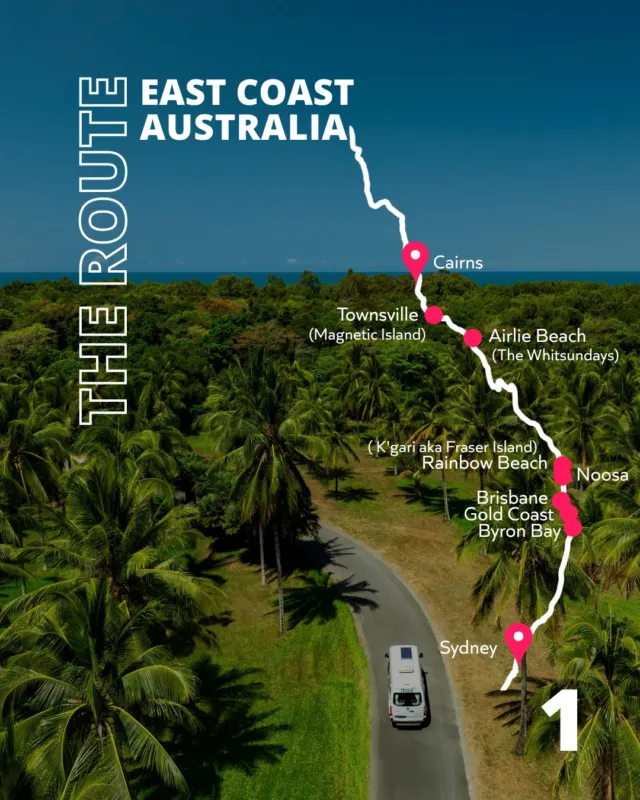
Along the East Coast – including Melbourne, Sydney, Brisbane and up to Cairns – coverage is generally excellent. You’ll have strong 4G/5G signal in cities, towns and along most highways. You can still hit blackspots in national parks or quiet backroads, but for most East Coast road trips, mobile data on any network works well.
Queensland (Inland)
Coastal Queensland is well covered, but once you head inland the gaps appear fast. Coverage is usually limited to towns and major highways, with long stretches of nothing between them. This is where having Telstra starts to matter.
South Australia
Great signal around Adelaide and along much of the coast. Inland South Australia is a different story – patchy to non-existent once you leave major towns. Expect long stretches with no service at all, especially in the outback.
Northern Territory
Mobile coverage in the NT is limited to larger towns. You’ll have good signal in places like Darwin, Alice Springs, Katherine and Tennant Creek, and along parts of the Stuart Highway. Outside towns and main roads, expect major blackspots and long periods completely offline.
Western Australia
WA has some of the biggest blackspots in the country. Coverage is strong around Perth, the southwest, and in larger regional centres, but once you head north or inland there are very long stretches with zero service. This is normal in WA – welcome to true wilderness!
Tasmania
Generally good coverage in cities, towns and along main roads. Once you head into the west coast, national parks or more remote regions, coverage becomes patchy and can drop out entirely.
Check Coverage for Your Network
As we mentioned above, Telstra has the widest coverage by a long way, especially in regional and remote Australia. Optus and Vodafone work well in cities and larger towns, but drop off much faster once you leave populated areas.
A note that you can check official coverage maps here:

These maps are useful, but don’t treat them as guarantees – terrain, weather and distance between towers can all make a difference.
A Note on “Cheap” Networks (MVNOs)
Not all mobile networks are created equal – even if they say they run on Telstra or Optus.
Many cheaper prepaid providers (called MVNOs) lease coverage from the big networks. The catch is that most Telstra-based MVNOs don’t get access to Telstra’s full rural network. They use the Telstra Wholesale network, which has slightly less coverage than Telstra’s own retail service. That small difference mostly shows up in very remote areas – exactly the places road-trippers tend to notice first.
In real terms, this can mean:
- A Telstra SIM has signal at a remote roadhouse or stretch of highway
- An MVNO SIM on “Telstra” doesn’t
One prepaid provider we hear consistently good things about is Boost Mobile (no affiliation/sponsorship – it’s just what we hear). Boost operates on the full Telstra retail network, which means coverage is effectively the same as Telstra itself, often at a lower price. That makes it a popular option for travellers who want maximum coverage without paying top-tier Telstra rates.
Other Telstra-based MVNOs (like ALDI, Woolworths, Belong, etc.) are usually fine in cities and most regional towns, but may drop out in that last sliver of remote Australia.
Our advice: if coverage really matters for your trip, double-check exactly which network your plan uses before you buy, especially if you’re heading inland.
Our Insider Tips to Stay Connected While Remote
When you’re heading into low-signal or remote areas, the goal isn’t perfect internet – it’s just keeping the essentials working.
Here are a few things we’ve learnt the hard way:
Download the important stuff before you lose signal
Do this while you’ve got solid Wi-Fi or good mobile data:
- Google Maps offline (entire regions, not just towns)
- Spotify playlists (or Apple Music)
- Podcasts / audiobooks
- Netflix / YouTube shows for offline viewing
- WikiCamps (or your camping app of choice) with maps downloaded
- Emergency numbers and state road condition sites bookmarked
No battery = no internet
Even one bar is no use if your phone’s dead. Make sure you:
- Carry a power bank (or two)
- Use a 12V charger or inverter in the camper
- Don’t rely on your phone being at 100% when you need it most
Small tweaks that can get you signal
These sound basic, but they can get you out of a real bind:
- Phone placement matters: the centre of the dash or near a window is often better than your pocket. This is where that portable Wi-Fi can come in handy.
- Move a few metres: if you’re on the edge of coverage, walking or driving 50-100m can make all the difference.
- Stop on higher ground when possible – even a slight rise can help.
- Switch flight mode on/off to force your phone to reconnect to the strongest tower.
Let’s be real though – this ain’t going to help ya if you’re lost crossing the Nullarbor. At that point, no amount of phone shuffling is beating geography. Stay safe and make sure you’re not relying on hacks you found on the internet! On that note…
How to Stay Safe When You’re Off-Grid
Once you head inland or off the main routes, there are parts of Australia where there is zero mobile coverage from any provider. Not patchy. Not weak. Just nothing.
The big thing to understand is this: please don’t rely on the internet for emergencies. If something goes wrong in a truly remote area, there may be no signal to Google your way out of it.
A few sensible precautions make a massive difference:
Tell someone your plan
Probably the most important rule of remote travel::
- Let someone know your route and expected ETA
- Check in when you’re back in coverage
- If plans change, update them when you can
If something goes wrong, this is often what gets help moving.
Have a way to call for help without mobile signal
If you’re heading properly remote, consider:
- Personal Locator Beacon (PLB) for remote hikes or outback travel – simple, reliable and designed for worst-case scenarios.
- Phone satellite SOS (available on supported iPhones) – useful for emergencies, but coverage and response can vary, so it’s not a replacement for planning or a proper PLB where required.
You hope you never use these. That’s the point.
Don’t depend on live maps or directions
Before heading off-grid:
- Download offline maps (Google Maps, WikiCamps, etc.)
- Save key directions and waypoints
- Screenshot important info (fuel stops, camps, roadhouses)
- Take a paper map, just in case
When signal drops, you should still know where you’re going.
The simple rule
If you’re heading somewhere that feels remote, plan like you won’t have any signal, even if you sometimes do. This mindset keeps you relaxed, prepared and able to enjoy the adventure — without relying on dumb luck.
If you’re heading for an outback roadie, you can read more tips from us on how to prep here.

Remember to Unplug!
Let’s be honest, you spend enough time at home doomscrolling.
An Aussie road trip is about wide-open roads, glorious sunsets, unplanned dips in serene swimming holes, and nights gazing at the stars like your ancestors.
Sometimes losing signal isn’t a problem to fix – it’s the moment you realise you’re exactly where you’re meant to be.
Download the maps, line up the tunes, let people know you’re safe. But when the bars disappear? Lean into it. That’s usually when the best stories start.

Want Help Planning a Road Trip That Just Works?
The ultimate Aussie roadie isn’t just about staying connected – you need the right route, the perfect camper and the knowledge to head off-grid with confidence.
That’s where we come in.
At RatPack, we don’t just help you find your dream camper at the best price… though we do that too. Whether it’s tips on mobile coverage, a sense check on your route, or the best free camp for Uluru, we share our experience to make your trip unforgettable.
Our team’s been there, done it and is buzzing to help you do it right.
Click here to get sorted with a camper and let us help plan your unforgettable adventure in Oz – Yewwww! 🚌✨
About the Author

with RatPack Travel?

5-Star Google Rated
5-Star Google Rated


Our Customers Say it Best